Showing posts with label internet tools. Show all posts

Friday, 4 November 2011

Tutorial: Turning a photo into an embroidery pattern

Here is how I turned a photo into a pattern:

Pick a photo of your choice.


School photos work very well as the lighting is good and the face is usually without shadows


Use any photo editing software of your choice.  There are lots of free software available online.  I use Picnik.  Use the posterize function to get this effect.  Play around with the colours until you are happy.  I settled on 10 colours.


Save the posterized picture and go to the Pencil Sketch function.  Without any further editing I got this result.  Play around until you are happy with the amount of lines and the clarity of the picture.


You can use the picture as is, or further simplify it by hand.  I printed the previous picture and traced it against the window (you can use a light table if you are more sophisticated than me!).  Here you can make it as simple or as complicated as you wish.

I scanned this version into my computer and printed it on to a wash-away stabilizer.

And Voila!  A perfect embroidery pattern.


A friendly request:  
This is a picture of my son.  I used it to demonstrate the process.  
Please feel free to link to this tutorial, but please do not re-post this whole post with pictures to your blog.  If you need one picture to illustrate the post, use one of the sketches.
Thank you.  


Project ABC: F is for Face

I have done several projects before where I used my youngest son's face for the design.
(Have a look here, here and here)


This time it was the turn of my eldest son to lend his picture to a project.
I've always wanted to try freehand machine embroidery but always put it off because I thought I didn't have the right machine for it.
Today I just gave it a go.  This is the result.  
I used a variegated thread on a fine polka dot fabric.
It is not perfect but it is a start....


Sunday, 3 April 2011

Graph Paper Generator

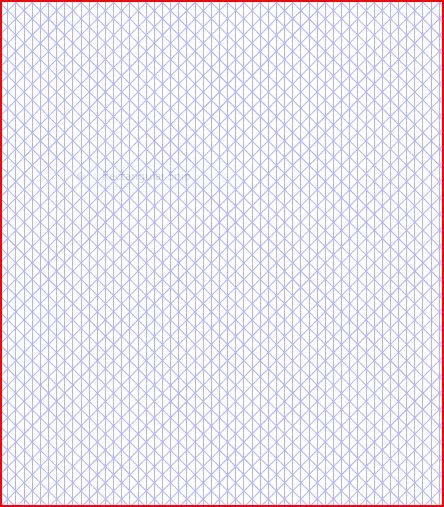
I was looking for triangular graph paper recently but couldn't find anything in the shops. In the end I decided to order online...


But guess what I found instead? A free online graph creator! Isn't this cool!!


You can design your own graph to the scale you want, with lots of options of line direction, thickness, colour, etc


You can even get a circular graph! Once you create the graph, you can instantly download it as a pdf file and print it out.


This opens up sooo many new design possibilities!

I think my family might just go hungry over the next few days while I play with my new graph paper...